The Visitor Registration flow supports optional screening questions that typically relate to either:
- Health
- Safety
- Confidentiality
The list of Yes/No questions can be configured by specifying the "questions" option in the screen details (each question is separated by a semi-colon).
For example:
questions=In the last 14 days have you had a sore throat or flu-like symptoms?; In the last 14 days have you had contact with anyone who has been diagnosed with COVID-19?; In the last 14 days have you visited any COVID-19 hotspots or returned from overseas?
The title and button text on the screening question page can be configured by specifying the "screening" and "agree" options respectively.
For example:
screening=COVID-19 Screening, agree=NextA legal message can be added to the bottom of the page by specifying the "legalmsg" option.
For example:
legalmsg=Misleading answers can lead to legal action.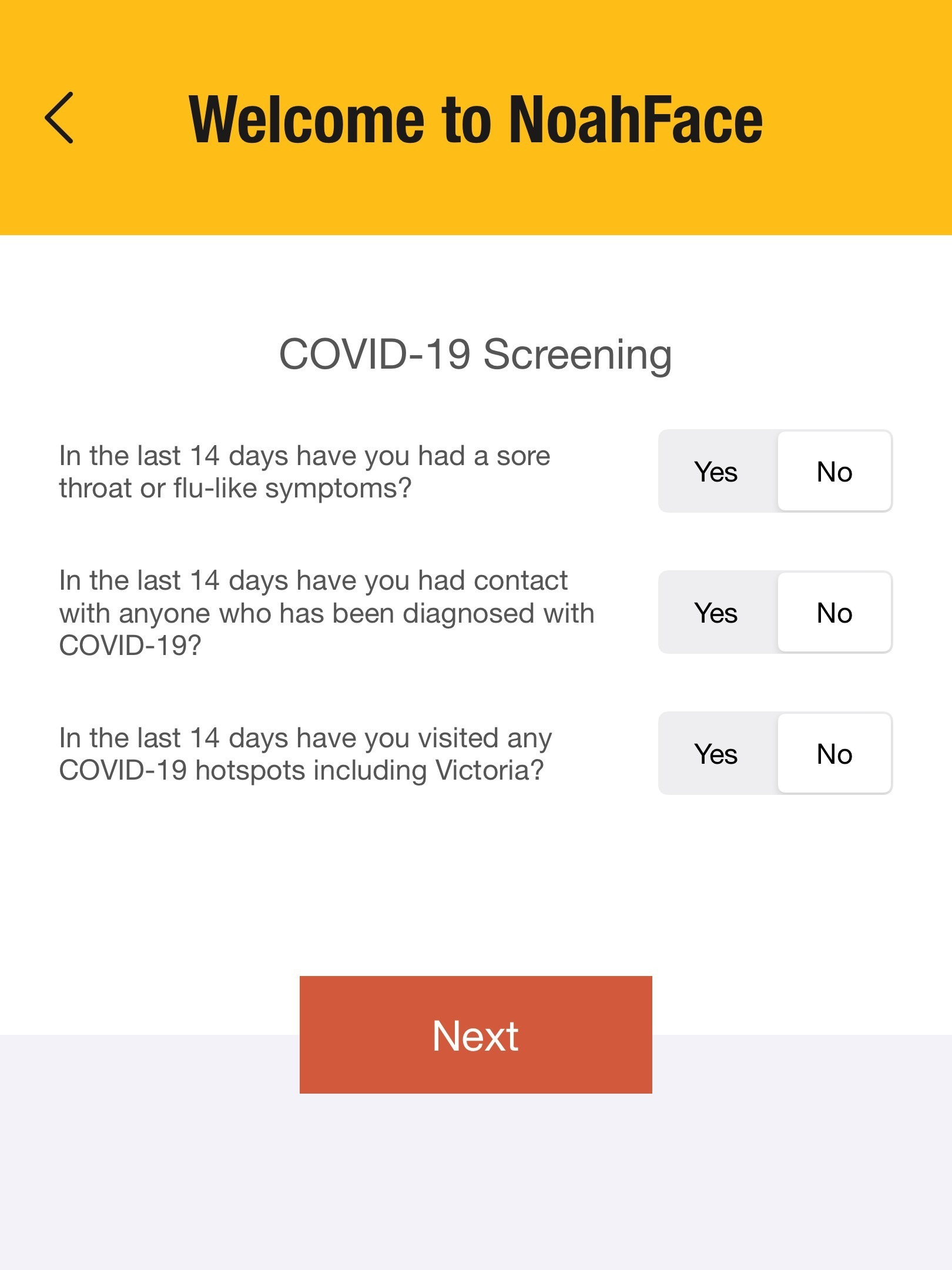
By default, visitors can answer yes or no and their answers are recorded with each sign in.
If instead you want to only allow specific answers, you can specify the acceptable answers for each question or globally.
For example:
answers=yes;no;yes
answers=yes (ie: all answers must be yes)
answers=no (ie: all answers must be no)
If the visitor answers any question in an unacceptable way, they will be denied access. You can configure the message they will see by specifying the "deniedmsg" option in the screen details.
For example:
deniedmsg=Please see reception for further instructions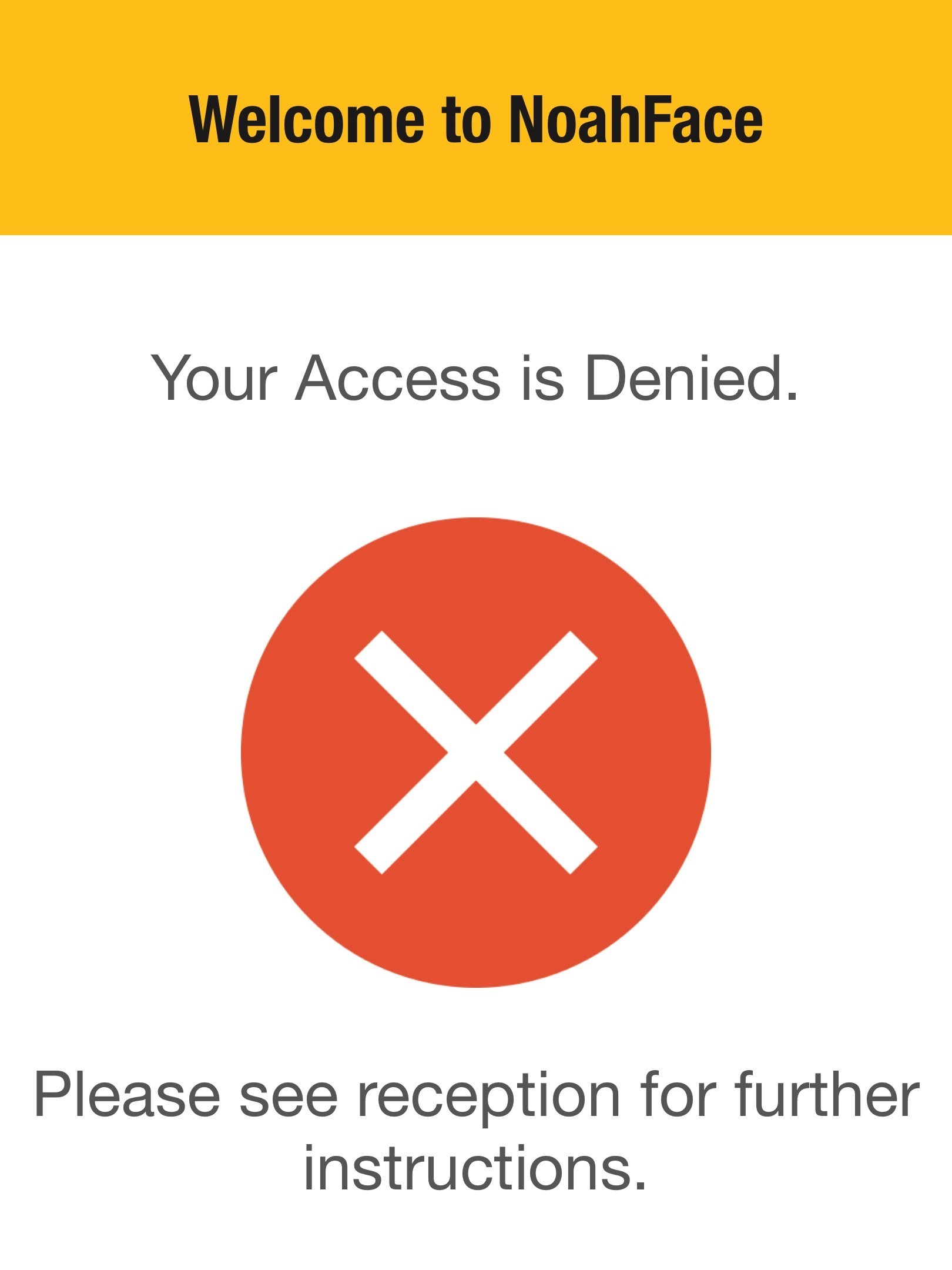
Was this article helpful?
That’s Great!
Thank you for your feedback
Sorry! We couldn't be helpful
Thank you for your feedback
Feedback sent
We appreciate your effort and will try to fix the article