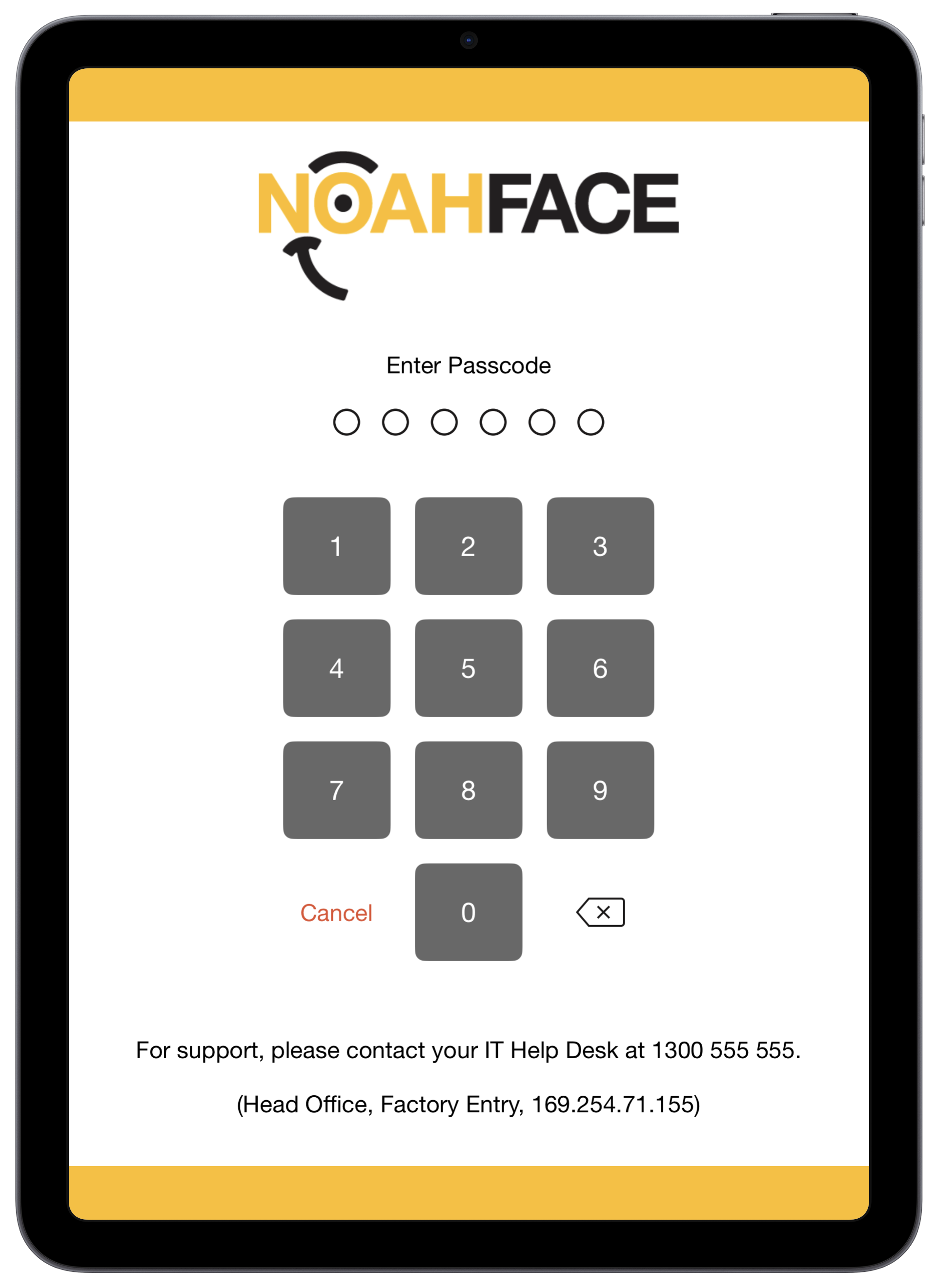
The NoahFace iPad App allows you to display support contact details at the bottom of the passcode entry screen as follows:
To configure your support contact details, specify the "supportmsg" option in the screen details as follows:
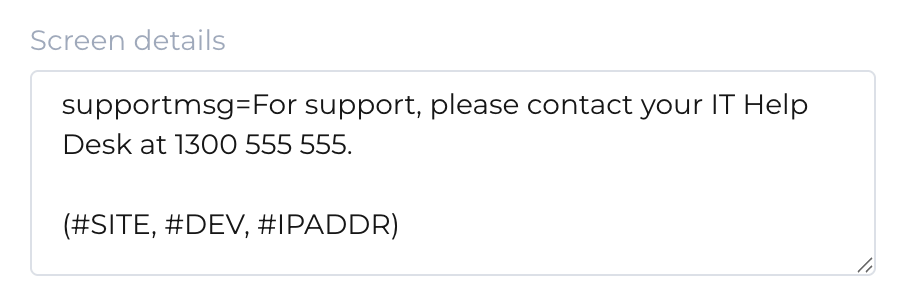
Your support contact details can contain multiple lines of text and can optionally contain any of the following variables:
- #ORG. The organization name.
- #SITE. The site name.
- #DEV. The device name.
- #DEVID. The device identifier.
- #IPADDR. The IP address of the device.
Displaying support contact details requires version 26.2 or later of the NoahFace App.
Was this article helpful?
That’s Great!
Thank you for your feedback
Sorry! We couldn't be helpful
Thank you for your feedback
Feedback sent
We appreciate your effort and will try to fix the article